A feeder that's off by half a scoop doesn't look broken. The bowl still fills. The light still blinks green. The app still logs the meal as delivered, and nothing about any of that tells you the portion has quietly drifted from what you actually set. That gap between "delivered" and "delivered correctly" is the real problem behind most cat feeding schedule advice written for freelance life. It's also the reason I stopped trusting pet tech that only confirms a meal happened, not whether it happened right. Smart home pet gear is supposed to close that gap. Most of it doesn't.
The night I actually started caring about this, I pulled up the feeder app mid-call, wanting the small green checkmark that means a meal went out. Instead I got a camera feed that had dropped off the network sometime around 2 a.m., no error message, no last-seen time that made any sense. Just a gray tile where a live feed should have been, and two cats on the other side of it I couldn't check on until I got home.
My last feeder before any of this was a no-name dial model from a marketplace listing, and the reason I tossed it wasn't the occasional jam. It was that I had no way to check whether a portion was actually a portion. The dial could sit an eighth of an inch off for a week and I'd never know until Hopper looked thinner or Beans looked rounder. That's the actual bar a feeding setup has to clear, and it's worth walking through in order: how the schedule should bend around a cat's internal clock, how portion accuracy actually gets set instead of just claimed, how the Wi-Fi handshake works, what changes with a second cat, and why the battery backup matters more than most people think.
A Feeding Schedule Has to Bend Around Freelance Hours
Freelance hours don't run on a clock the way an office job does. A client revision lands mid-afternoon and the whole day slides forward without warning. A fixed feeding time assumes a stability that just isn't there. Cats are crepuscular — their internal rhythm is built around dawn and dusk activity — which is exactly why a meal that's twenty minutes late reads as a crisis to them, not a minor inconvenience.
Look, the fix isn't a stricter schedule. It's a wider one. Instead of locking a meal to a fixed time, I set a window and let the app vary the exact minute inside it, so the cats stop anchoring their whole afternoon to one number. A cat that expects food at a fixed hour starts pacing thirty minutes early. A cat that's learned food shows up somewhere inside a window doesn't build that same countdown. That's the actual rule: a fixed time trains anticipation, a window doesn't.
Petlibro is where I started, mostly because the scheduling logic let me build that kind of window without fighting the app's defaults. It isn't the sturdiest unit I've tested. But I never felt boxed into someone else's idea of dinner time.
The Portion-Accuracy Problem Nobody Talks About
Most feeder marketing talks about portions in grams or cups. What actually matters is how consistently the machine hits that number, meal after meal, week after week. A dispensing wheel that's slightly off on day one will be noticeably off by day thirty, and most owners never catch it, because the app just says "meal delivered" with no way to check the real weight against the setting.
Before I trusted any app number, I tried working around the machine instead of through it. Portioning a week's worth of meals into containers in the fridge every Sunday, then refilling the hopper by hand from those instead of the bulk bag. It didn't fix anything. I still had to be home to do the swap, the containers were exactly as inconsistent as the bag had been, and I'd added a chore without solving the actual accuracy problem. The fix isn't a workaround. It's picking a feeder whose dispensing mechanism is precise to begin with.
You can feel that precision more than see it. A well-built dispensing wheel locks into each portion notch with a small, definite click, and you can count servings by ear standing in the kitchen. A cheap or worn wheel doesn't click. It grinds forward instead, and that grinding is usually the first sign the mechanism is heading toward a mid-meal jam rather than a clean misfire — a different failure mode from portion drift, and one I've broken down on its own elsewhere.
My friend Tomoko, who does hardware industrial design, has stronger opinions about hopper geometry than I do, and she's been nudging me toward a pricier unit for months that I still haven't justified buying. But the test she taught me is simple enough for anyone to run at home: portion a few feedings into a bowl on a kitchen scale and compare the running total against what the app claims it dispensed. If the two numbers drift apart by more than a little, the problem isn't your schedule. It's the hardware.
Getting the Feeder Onto Wi-Fi Without Losing Your Mind
Nearly every smart feeder on the market, this one included, runs its setup handshake on 2.4GHz Wi-Fi, not the 5GHz band your router hands new devices by default. Try to pair it on the fast band and it just sits there blinking, looking confused, while you assume the unit itself is broken. Toggle your phone down to the 2.4GHz network for the pairing step and the handshake usually finishes in under a minute.
Signal strength matters too — tuck the feeder in a dead zone far from the router and notifications start lagging or dropping, which is its own stress-test worth running separately from anything here.
But losing Wi-Fi mid-afternoon isn't the disaster it looks like: a decent feeder keeps dispensing on its onboard schedule with zero connection, it just can't report back until the signal returns. No signal doesn't mean no dinner. It means no confirmation.
What Changes When a Second Cat Joins the Bowl?
One cat on one schedule is a solved problem. Two cats with different appetites and different diets is a different project. Hopper is older and eats less. Beans would happily finish both bowls and then look around for a third. A single hopper feeding both of them just becomes a race, and the slower cat loses every time.
Separating them properly — by microchip recognition, a physical divider, or timing their access so they're never at the bowl together — is its own setup with its own failure points, and I've broken the whole process down in a piece about setting up an automatic feeder for two cats with a divider.
Tamper-proofing matters here too, not only against a determined dog — Beans spent one entire afternoon leaning on the feeder lid like it owed her money, testing every seam for a weak point, and gave up only when it wouldn't budge.
And if you're running wet food instead of dry through any of this, the spoilage clock changes completely — that's its own setup problem, worth reading up on separately rather than glossing over here.
The Backup Battery Matters More Than the App
Power loss is the failure mode nobody schedules around — it feels rare until the grid hiccups during a workday and you're not home to notice. A feeder with a working battery backup keeps dispensing through the outage; one without it just sits there, dead, until someone remembers to check on it. That's why I eventually added a Petkit unit alongside the Petlibro — I compared the two directly in The Late-Night Deadline Test, and the backup battery held up in a way the cheaper unit's didn't.
Notifications aren't the same thing as the meal actually happening — a push alert just confirms the app thinks the motor turned, not that food landed where it should. Pairing that with an actual camera check is a different setup worth reading up on separately, not something to half-explain here.
A forum contact of mine, Parveen, runs the same kind of tests I do, out of Phoenix, and logs her own test windows so we can compare notes directly instead of guessing whether a problem is the hardware or just our own apartments. Her water runs harder than mine, which changes how often a fountain filter needs replacing — its own rabbit hole, best left to the piece that actually covers it.
Running Three Checks Before You Walk Out the Door
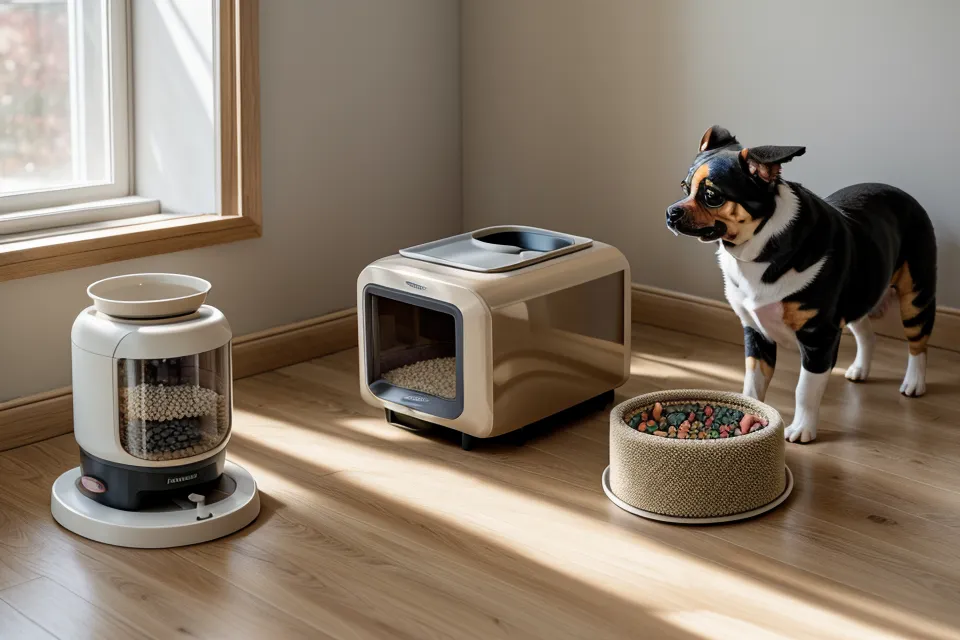
None of the scheduling logic matters if the hardware fails quietly between checks. There's a short routine worth running before any long day away from the apartment. Start with the desiccant pack inside the hopper — humid air turns kibble sticky at the edges, and sticky kibble bridges in the chute instead of falling freely, which the machine reads as a completed drop even when nothing fell.
Next, wipe the dispensing chute down with a dry cloth. Grease from the kibble coating builds up along the walls over weeks, and that buildup is the single most common cause of a false jam alert. The mechanism turns fine. The food just doesn't clear the chute cleanly.
Last, physically confirm the lid is locked, not just resting closed. A cat that's decided the feeder is a box worth cracking will find the one seam that isn't fully seated, and a lid that looks shut from across the kitchen isn't the same as a lid that's actually engaged.
Run all three and the odds of coming home to a working feeder, instead of an empty bowl and an angry cat, go up considerably. It's a two-minute habit, not a project.
Look, none of this needs to be complicated, and it doesn't take the priciest feeder on the shelf to work. If you're setting up your first automatic schedule and don't want to overthink the hardware, the Petlibro is still what I'd point a friend toward — it's the unit that's stayed on my kitchen floor the longest, warts and all. For anyone whose workday runs longer or whose power grid is less trustworthy, it's worth reading through which feeder actually held up under a real mealtime standoff before you commit either way. Either path beats coming home to a hungry cat and a guessing game about what went wrong.